
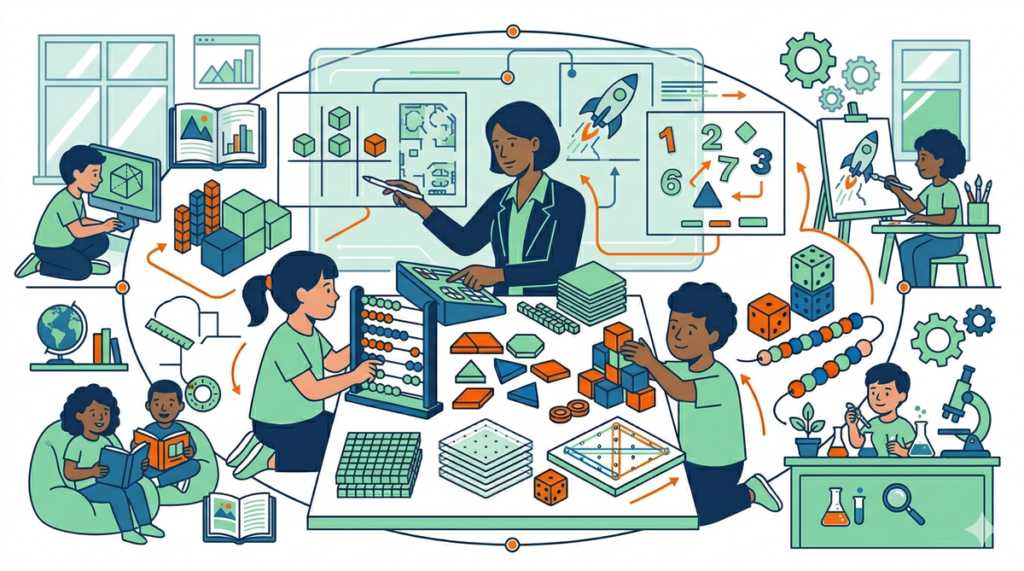
In the realm of current technological education, there's a misconception that to teach computer science, a state-of-the-art computer lab is essential. However, the unplugged programming, also known as «Computer Science Unplugged,» has emerged as a high-impact pedagogical methodology for secondary school students. This technique allows for the exploration of computational thinking and algorithmic logic away from screens, focusing attention on fundamental cognitive processes before engaging with the syntax of a specific programming language.
Integrate the unplugged programming In the adolescent classroom (ages 12-18), it not only democratizes access to technological knowledge in low-resource environments, but also eliminates technical distractions and allows students to focus on creative problem-solving. By understanding logical fundamentals through physical and tangible activities, students develop a solid foundation that greatly facilitates their later transition to languages like Python, Java, or C++. This planning is ideal for inclusion within the framework we defined in our Editorial Calendar Secondary.xlsx, especially to introduce computational thinking in the first block of the course.
What is unplugged programming?
The unplugged programming It is a methodology for teaching computer science that uses physical objects, games, logic challenges, and kinesthetic activities to explain abstract concepts. Instead of writing lines of code in an editor, middle school students manipulate cards, strings, dice, or even move around the classroom to represent the flow of an algorithm.
This discipline is based on the development of computational thinking, which is the mental process that allows us to approach complex problems in a way that a computer (or a human) can execute them. In the context of secondary school, this implies that students learn to break down problems, recognize patterns, abstract irrelevant information, and design sequential steps (algorithms) to reach a solution. The unplugged activities they are the perfect tool for demystifying computing and showing that the essence of programming is, in fact, a way of thinking and not simply a technical keyboard skill.
Importance of unplugged programming in middle school
Implement the unplugged programming In students between 12 and 18 years old, it offers benefits that go beyond pure computing:
- Reducing Technical Frustration: Many students feel intimidated by syntax errors (a missed semicolon, an indentation error). Unplugged activities remove these barriers, allowing the student to feel successful by solving the problem's logic.
- Inclusion and Equity Not all educational centers or families have access to one-to-one devices. This methodology ensures that quality STEM learning does not depend on the technology budget.
- Social-emotional skills development: Most of these dynamics require teamwork, clear communication, and negotiation, which are critical skills for the future professional careers of young people.
- Deep understanding of abstraction: When you physically represent how data travels or how a list is sorted, the concept stops being an ethereal idea and becomes a memorable experience.
- Movement promotion Breaking the routine of sitting in front of a monitor improves learning disposition and concept retention in adolescents.
Key concepts the teacher must master
To apply the unplugged programming Effectively, the teacher must be able to translate technical concepts into everyday analogies. Here are the fundamental pillars:
- Algorithms: Defined as a finite and precise sequence of instructions. In the classroom, this translates into «recipes» or «step-by-step guides» that do not allow for ambiguity.
- Debugging The process of identifying and correcting errors. In unplugged activities, it is the moment when the team notices that their «human robot» has crashed and they must review which instruction failed.
- Control Structures Concepts like loops (repeating an action until a condition is met) and conditionals (if X happens, then do Y).
- Data Representation: How information is translated into binary (0s and 1s) or how data is compressed to occupy less space.
- Search and sorting: Logical strategies for finding an element in a set or organizing information efficiently (like Bubble Sort or Quick Sort).
Practical strategies for the classroom
To carry unplugged programming The high school classroom requires a facilitator approach rather than a traditional instructor. Here are some strategies to ensure success:
1. The «Dumb Robot» Approach»
Teenagers often assume computers are «smart.» One of the best strategies is to demonstrate that they are extremely obedient but literal machines. Asking students to give instructions to «make a sandwich» or «tie shoes» to a teacher who acts in a completely literal way helps them understand the need for precision in algorithms.
2. Gamification and healthy competition
Use stopwatches and team challenges. For example, which group can sort a series of numbers using the fewest comparisons possible? The competitive element motivates high school students to optimize their logical processes.
3. Use of low-cost manipulative materials
Poker cards for sorting algorithms, plastic cups for data structures, or even chalk drawings on the floor to represent graphs. Tangibility is key to cementing knowledge.
Ready-to-use activities
Here are three activities unplugged programming designed specifically for the maturity level and curriculum objectives of middle school:
Activity 1: The Sorting Network
Draw a sorting network outline on the floor of the playground or gym. Students enter with a random number in hand and must proceed along the lines. When two students meet at a node, they compare their numbers; the smaller one goes to the left and the larger one to the right.
Objective: Understand how parallel processing algorithms can sort data massively and efficiently.
Activity 2: Secret Messages and Binary
Provide students with a set of cards that have dots on one side (1, 2, 4, 8, 16) and are blank on the other. Ask them to represent specific numbers by flipping the cards over. Then, challenge them to create a «binary alphabet» for sending short messages to each other.
Objective: Understand the fundamentals of data storage and number system conversion.
Activity 3: The Robot Rescue (Conditionals and Loops)
Create a grid on the floor with obstacles. One student is the «programmer» and another is the «robot.» The programmer must write all instructions on a piece of paper (the code) before the robot starts moving. They should use commands like «Repeat 3 times: Move forward» or «If obstacle to the right: Turn left.».
Objective: Practice logical syntax, problem anticipation, and error debugging without immediate execution.
Recommended materials
To delve deeper into the unplugged programming, these resources are indispensable for any technology teacher:
- CS Unplugged The official Computer Science Unplugged portal offers free PDF books with dozens of detailed activities.
- Code.org (Unplugged Lessons): They have a specific section for middle school with teaching guides and support videos.
- Card decks and dice: They are versatile tools for teaching probability, chance, and search algorithms.
- Masking tape or chalk: To define execution spaces and decision flows on the classroom floor.
Evaluation and suggested rubrics
Evaluate the computational thinking through unplugged activities requires observing the resolution process, not just the final outcome. We recommend the following criteria:
- Algorithmic Precision Are the provided instructions unambiguous and do they achieve the intended goal?
- Debugging Capability When faced with an error, does the student identify the exact point of failure or try to start from scratch without analyzing?
- Optimization Are you looking for the shortest path or the most efficient solution (using loops instead of manual repetition)?
- Collaboration: How does the «programmer» communicate with the «executor»? Is there clarity in the technical language used?
Common mistakes and how to avoid them
Upon implementing the unplugged programming, it's easy to make certain slips that can devalue the lesson:
- Making it too childish: High school teenagers might feel that playing with cups is «childlike.». Solution: Increase the complexity of the challenge and connect the activity with real-world industry applications (e.g., «this is how Google sorts your searches»).
- Do not make the theoretical closing Having fun is great, but the student must know what computer concept they have just learned. Solution: Dedicate the last 10 minutes to naming the concept (this was a ‘Loop,’ this was ‘Binary’).
- Allow ambiguity: If the «robot» guesses what the programmer meant, the logic fails. Solution: The executor must be strictly literal, almost «dumb,» to enforce code precision.
Conclusion
The unplugged programming It is not a poor substitute for digital computing, but a powerful and necessary complement. By stripping technology of its wires and screens, we reveal its true essence: the art of thinking clearly and solving problems logically. For secondary school teachers, these activities are a golden opportunity to foster creativity and intellectual rigor in their students, preparing them for a world where computational thinking will be a skill as basic as reading or writing.
To generate printable materials related to this topic, visit Didaktos.io.
«` Español de Puerto Rico
 English