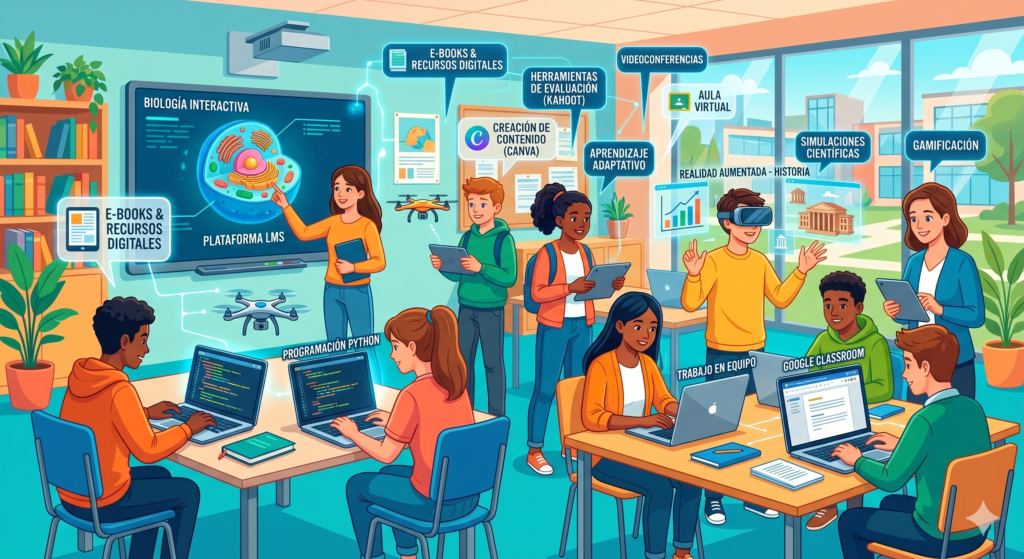
Technological integration in the classroom has shifted from being a cutting-edge option to a structural necessity. For teachers working with adolescents aged 12 to 18, the digital tools secondary they represent an unprecedented opportunity to connect with a generation of digital natives who demand interactivity, immediacy, and personalization in their learning. However, the challenge is not just to use technology, but to imbue it with a pedagogical sense that enhances the development of critical competencies.
In this article, we will break down how to select and apply the best technological solutions to improve classroom management, foster collaboration, and ensure that the use of electronic devices is a driver of knowledge and not a distraction. We will explore digital educational resources ranging from gamification to multimedia content creation, always from a teaching and professional perspective.
What are secondary digital tools?
The digital tools secondary they define themselves as the set of applications, platforms, software, and online resources designed to facilitate, enrich, or manage teaching and learning processes. In the context of secondary education, these tools not only serve to transmit information but act as environments where students can research, create, collaborate, and autonomously evaluate their own knowledge.
Unlike tools used at basic levels, those intended for students aged 12 to 18 typically have greater technical complexity and allow for a deeper focus on problem-solving and systemic thinking. They include everything from Learning Management Systems (LMS) to graphic design tools, scientific simulators, and asynchronous communication platforms.
Importance of digital tools in secondary school
The relevance of implementing ICT in secondary school It goes beyond simple classroom modernization. Its impact is reflected in three fundamental areas of adolescent development:
- Motivation and Engagement The use of multimedia formats and game dynamics (gamification) reduces school disaffection, a common problem in secondary school grades, by presenting content in languages that are familiar to young people.
- Digital Skills Development: Preparing students for the future workforce involves ensuring they master not only content consumption but also responsible creation, data management, and cybersecurity.
- Personalized Learning Digital tools allow teachers to address classroom diversity through adaptive learning, offering different paces and difficulty levels according to each student's needs.
- Fostering Autonomy By having access to quality digital educational resources, students can manage their own research process, promoting lifelong learning.
Key concepts the teacher must master
To successfully integrate tools for teachers In daily practice, it is essential to have clarity on certain pedagogical-technological concepts:
- TPACK Model The necessary intersection between technological, pedagogical, and content knowledge. It's not enough to know how to use the application; one must know why it's useful and for what purpose in a specific subject.
- Hybrid Learning (Blended Learning) The balanced combination of in-person instruction and technology-mediated activities, allowing for greater flexibility.
- Media and Information Literacy (MIL) The ability to teach students to verify sources, detect fake news, and use information ethically.
- Accessibility and Universal Design for Learning (UDL): Ensure that the selected digital tools are usable by all students, including those with special educational needs.
Practical strategies for the classroom
The implementation of digital tools secondary You must respond to clear strategy. Here are some recommended methodologies:
Structural Gamification: Use platforms to convert quarterly progress into a game-like narrative. Students earn «experience» instead of just grades, fostering a growth mindset and persistence.
Flipped Classroom Use interactive video tools for students to consume theory at home. Class time is then dedicated to Q&A, discussions, and practical projects, maximizing teacher-student interaction.
Collaborative Cloud Learning Encourage the creation of shared documents where students must co-author texts, presentations, or programming code in real-time, developing negotiation and teamwork skills.
Ready-to-use activities
These activities are designed to be implemented immediately in any secondary school subject:
1. Creating a Themed Podcast
Tool Free audio recording and editing applications. Procedure: Students choose a topic from the curriculum (e.g., the Industrial Revolution or Climate Change) and record a 5-minute episode in interview format. Objective: Develop oral expression, information synthesis, and editing tool management.
Digital Research Murals
Tool Online collaborative boards. Procedure: An open-ended question is posed. Each group of students must research and «post» resources (videos, articles, images) that help answer it, commenting on their classmates' contributions. Objective: Foster content curation and social learning.
3. Digital Learning Portfolio
Tool Simple websites or blogs. Procedure: Throughout the course, the student compiles their best work, reflections on what they've learned, and self-assessments on a personal website. Objective: Foster metacognition and leave tangible evidence of your annual achievements.
Recommended materials
To build a robust digital ecosystem, we recommend exploring these categories of Digital educational resources:
- Content Management Google Workspace for Education or Microsoft 365 for collaborative creation and storage.
- Interactive Evaluation: Kahoot, Quizizz, or Mentimeter for conducting quick, engaging, and real-time learning checks.
- Visual Creation Canva or Genially for students to design infographics, interactive presentations, and professional graphics.
- Simulations: PhET Interactive Simulations (for science and mathematics), which allows experimentation in safe virtual environments.
Evaluation and suggested rubrics
Evaluating digital products requires criteria that go beyond academic content. A rubric that includes the following is suggested:
- Tool Usage (25%): Does it utilize the platform's technical features efficiently?
- Content Quality (40%): Scientific or literary rigor, originality, and correct citation of sources.
- Design and Communication (20%): Aesthetics, legibility, and the ability to convey the message clearly.
- Digital Ethics (15%): Copyright respect (use of free images) and appropriate behavior in collaborative environments.
Common mistakes and how to avoid them
- «Meaningless Technophilia»: Using a tool just because it's new. Always ask yourself: What value does this app add that pen and paper don't give me?
- Ignored Digital Divide: Not all students have the same access to the internet or devices at home. Always ensure offline alternatives or work time at the center.
- Lack of Privacy Training Do not read the terms of use. It is vital to use tools that comply with the protection of minors' data (GDPR).
Conclusion
The success of the digital tools secondary It resides not in the power of the software, but in the vision of the teacher who guides it. By integrating these resources strategically, we are not only facilitating teaching, but we are opening doors for teenagers to discover their talents in a safe, creative, and highly motivating environment. Digital transformation is a continuous journey; start with one tool, master it, and watch your classroom come to life.
To generate printable materials related to this topic, visit Didaktos.io.
Technological integration in the classroom has shifted from being a cutting-edge option to a structural necessity. For teachers working with adolescents aged 12 to 18, the digital tools secondary they represent an unprecedented opportunity to connect with a generation of digital natives who demand interactivity, immediacy, and personalization in their learning. However, the challenge is not just to use technology, but to imbue it with a pedagogical sense that enhances the development of critical competencies.
In this article, we will break down how to select and apply the best technological solutions to improve classroom management, foster collaboration, and ensure that the use of electronic devices is a driver of knowledge and not a distraction. We will explore digital educational resources ranging from gamification to multimedia content creation, always from a teaching and professional perspective.
What are secondary digital tools?
The digital tools secondary they define themselves as the set of applications, platforms, software, and online resources designed to facilitate, enrich, or manage teaching and learning processes. In the context of secondary education, these tools not only serve to transmit information but act as environments where students can research, create, collaborate, and autonomously evaluate their own knowledge.
Unlike tools used at basic levels, those intended for students aged 12 to 18 typically have greater technical complexity and allow for a deeper focus on problem-solving and systemic thinking. They include everything from Learning Management Systems (LMS) to graphic design tools, scientific simulators, and asynchronous communication platforms.
Importance of digital tools in secondary school
The relevance of implementing ICT in secondary school It goes beyond simple classroom modernization. Its impact is reflected in three fundamental areas of adolescent development:
- Motivation and Engagement The use of multimedia formats and game dynamics (gamification) reduces school disaffection, a common problem in secondary school grades, by presenting content in languages that are familiar to young people.
- Digital Skills Development: Preparing students for the future workforce involves ensuring they master not only content consumption but also responsible creation, data management, and cybersecurity.
- Personalized Learning Digital tools allow teachers to address classroom diversity through adaptive learning, offering different paces and difficulty levels according to each student's needs.
- Fostering Autonomy By having access to quality digital educational resources, students can manage their own research process, promoting lifelong learning.
Key concepts the teacher must master
To successfully integrate tools for teachers In daily practice, it is essential to have clarity on certain pedagogical-technological concepts:
- TPACK Model The necessary intersection between technological, pedagogical, and content knowledge. It's not enough to know how to use the application; one must know why it's useful and for what purpose in a specific subject.
- Hybrid Learning (Blended Learning) The balanced combination of in-person instruction and technology-mediated activities, allowing for greater flexibility.
- Media and Information Literacy (MIL) The ability to teach students to verify sources, detect fake news, and use information ethically.
- Accessibility and Universal Design for Learning (UDL): Ensure that the selected digital tools are usable by all students, including those with special educational needs.
Practical strategies for the classroom
The implementation of digital tools secondary You must respond to clear strategy. Here are some recommended methodologies:
Structural Gamification: Use platforms to convert quarterly progress into a game-like narrative. Students earn «experience» instead of just grades, fostering a growth mindset and persistence.
Flipped Classroom Use interactive video tools for students to consume theory at home. Class time is then dedicated to Q&A, discussions, and practical projects, maximizing teacher-student interaction.
Collaborative Cloud Learning Encourage the creation of shared documents where students must co-author texts, presentations, or programming code in real-time, developing negotiation and teamwork skills.
Ready-to-use activities
These activities are designed to be implemented immediately in any secondary school subject:
1. Creating a Themed Podcast
Tool Free audio recording and editing applications. Procedure: Students choose a topic from the curriculum (e.g., the Industrial Revolution or Climate Change) and record a 5-minute episode in interview format. Objective: Develop oral expression, information synthesis, and editing tool management.
Digital Research Murals
Tool Online collaborative boards. Procedure: An open-ended question is posed. Each group of students must research and «post» resources (videos, articles, images) that help answer it, commenting on their classmates' contributions. Objective: Foster content curation and social learning.
3. Digital Learning Portfolio
Tool Simple websites or blogs. Procedure: Throughout the course, the student compiles their best work, reflections on what they've learned, and self-assessments on a personal website. Objective: Foster metacognition and leave tangible evidence of your annual achievements.
Recommended materials
To build a robust digital ecosystem, we recommend exploring these categories of Digital educational resources:
- Content Management Google Workspace for Education or Microsoft 365 for collaborative creation and storage.
- Interactive Evaluation: Kahoot, Quizizz, or Mentimeter for conducting quick, engaging, and real-time learning checks.
- Visual Creation Canva or Genially for students to design infographics, interactive presentations, and professional graphics.
- Simulations: PhET Interactive Simulations (for science and mathematics), which allows experimentation in safe virtual environments.
Evaluation and suggested rubrics
Evaluating digital products requires criteria that go beyond academic content. A rubric that includes the following is suggested:
- Tool Usage (25%): Does it utilize the platform's technical features efficiently?
- Content Quality (40%): Scientific or literary rigor, originality, and correct citation of sources.
- Design and Communication (20%): Aesthetics, legibility, and the ability to convey the message clearly.
- Digital Ethics (15%): Copyright respect (use of free images) and appropriate behavior in collaborative environments.
Common mistakes and how to avoid them
- «Meaningless Technophilia»: Using a tool just because it's new. Always ask yourself: What value does this app add that pen and paper don't give me?
- Ignored Digital Divide: Not all students have the same access to the internet or devices at home. Always ensure offline alternatives or work time at the center.
- Lack of Privacy Training Do not read the terms of use. It is vital to use tools that comply with the protection of minors' data (GDPR).
Conclusion
The success of the digital tools secondary It resides not in the power of the software, but in the vision of the teacher who guides it. By integrating these resources strategically, we are not only facilitating teaching, but we are opening doors for teenagers to discover their talents in a safe, creative, and highly motivating environment. Digital transformation is a continuous journey; start with one tool, master it, and watch your classroom come to life.
To generate printable materials related to this topic, visit Didaktos.io.
 Español de Puerto Rico
  English